
Your professional profile is what other members see about you: in the professional directory, next to every case you post or apply to, and on store orders and listings.
Where: Menu → Professional directory → Edit my profile (or open it directly).
What to fill in
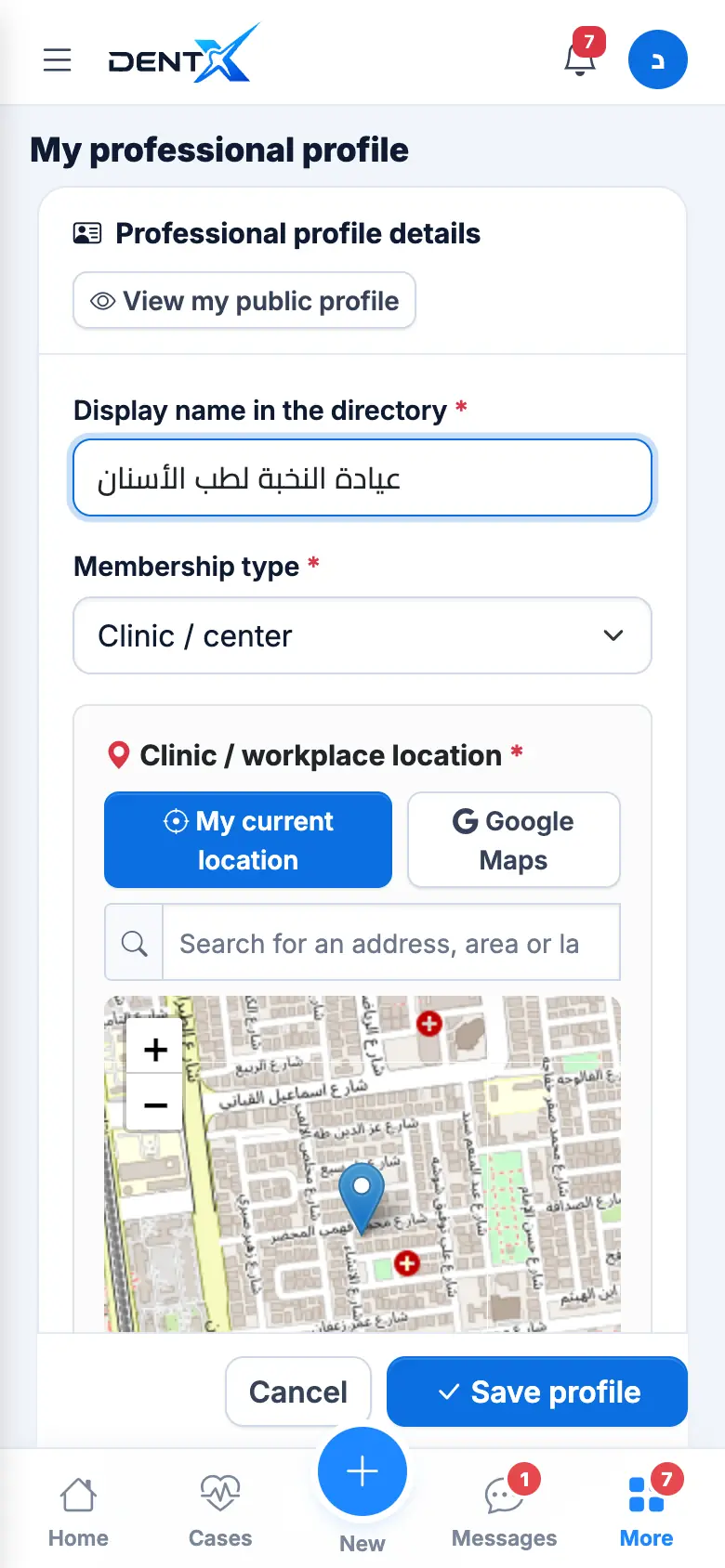
- Display name and membership type (dentist, specialist, clinic, lab, supplier…).
- Location — tap My current location (GPS), search an address, or drag the pin to your exact entrance. Then the governorate, city/area and detailed address.
- My specialties — tap every specialty you work in (up to 10), years of experience, and whether you are open to work at other clinics (you get an "Open to work" badge).
- Bio, services/products, price range and delivery days (useful for labs and suppliers), and a WhatsApp number for a WhatsApp button on your profile.
- Logo / photo, and the switch Shown in the directory (turn it off to hide from search).
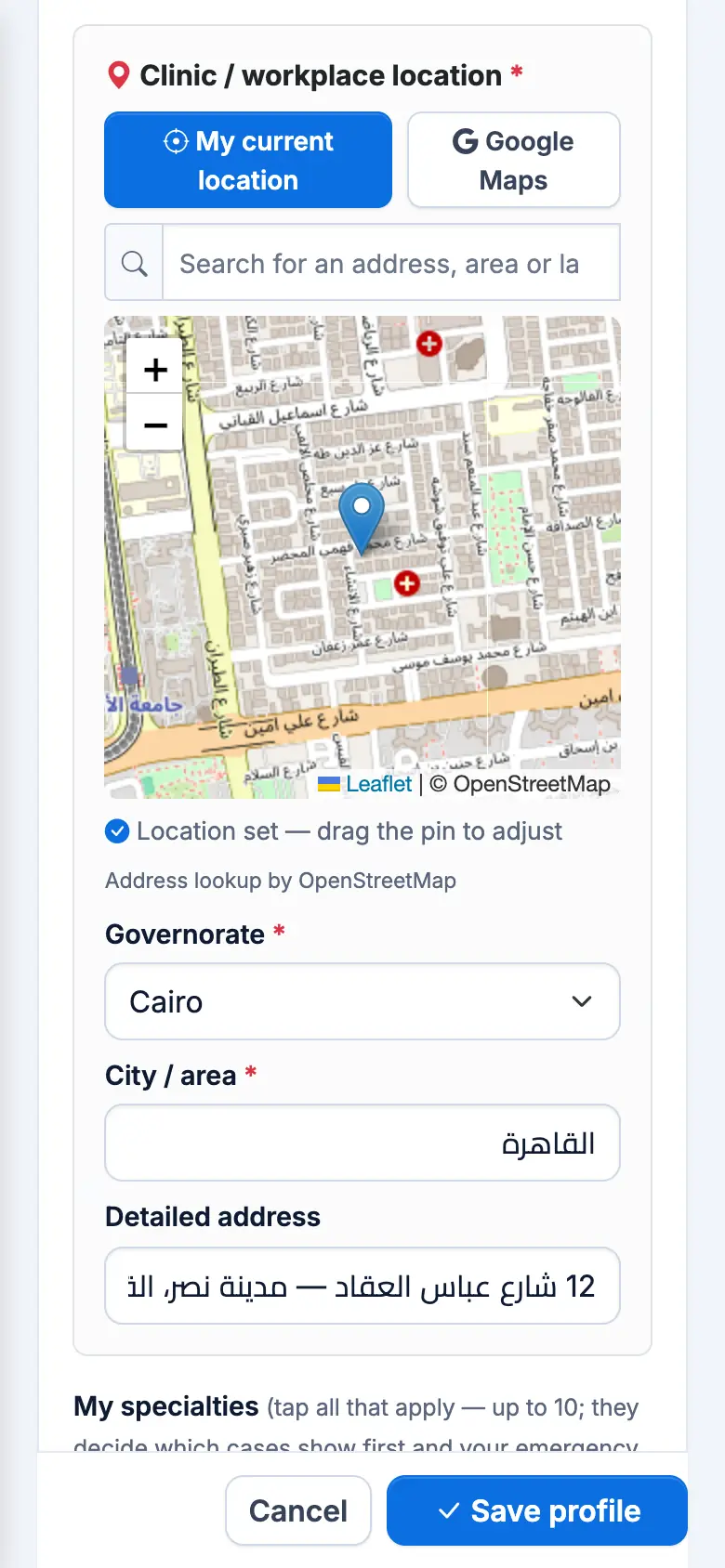
Tap Save profile — changes appear immediately.
The location matters most: cases, jobs, courses, products and listings are all sorted nearest first from it, and alerts about nearby cases depend on it. Your detailed address is only shown to the person you agree with.
Specialties only count for specialist cases once they are verified with a certificate — see Verify your account.