
Where: the + button → Post a case, or Menu → Specialist cases → Post a case. Your account must be verified.
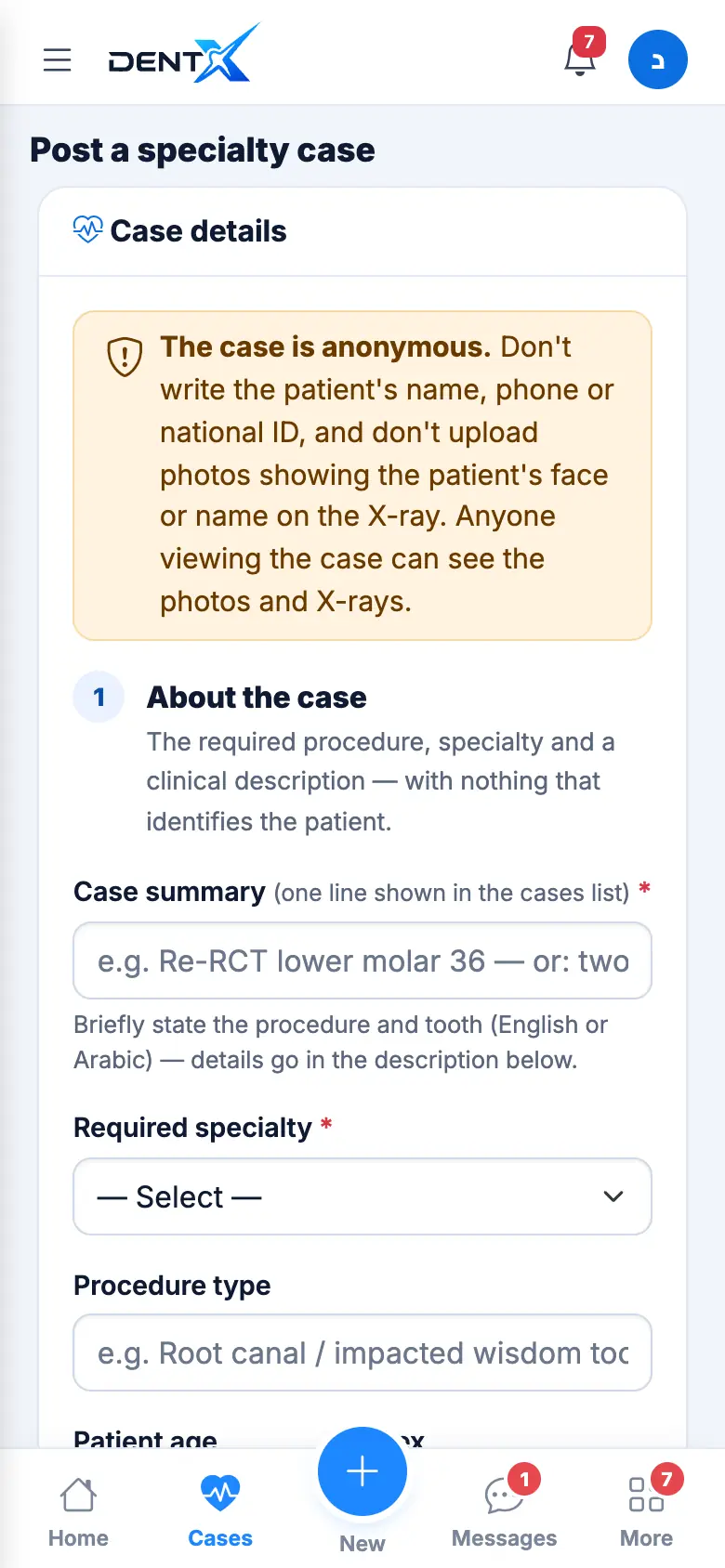
1. About the case
- Case summary — one line shown in the list, e.g. "Re-RCT lower molar 36" (English or Arabic).
- Required specialty — decides who is notified.
- Procedure type, patient age and sex, and the clinical description (diagnosis and what you need).
2. Appointment & fee
Pick the date (or Today / Tomorrow / Day after), tap an hour, then the expected duration and the fee offered (optional, can be negotiable).
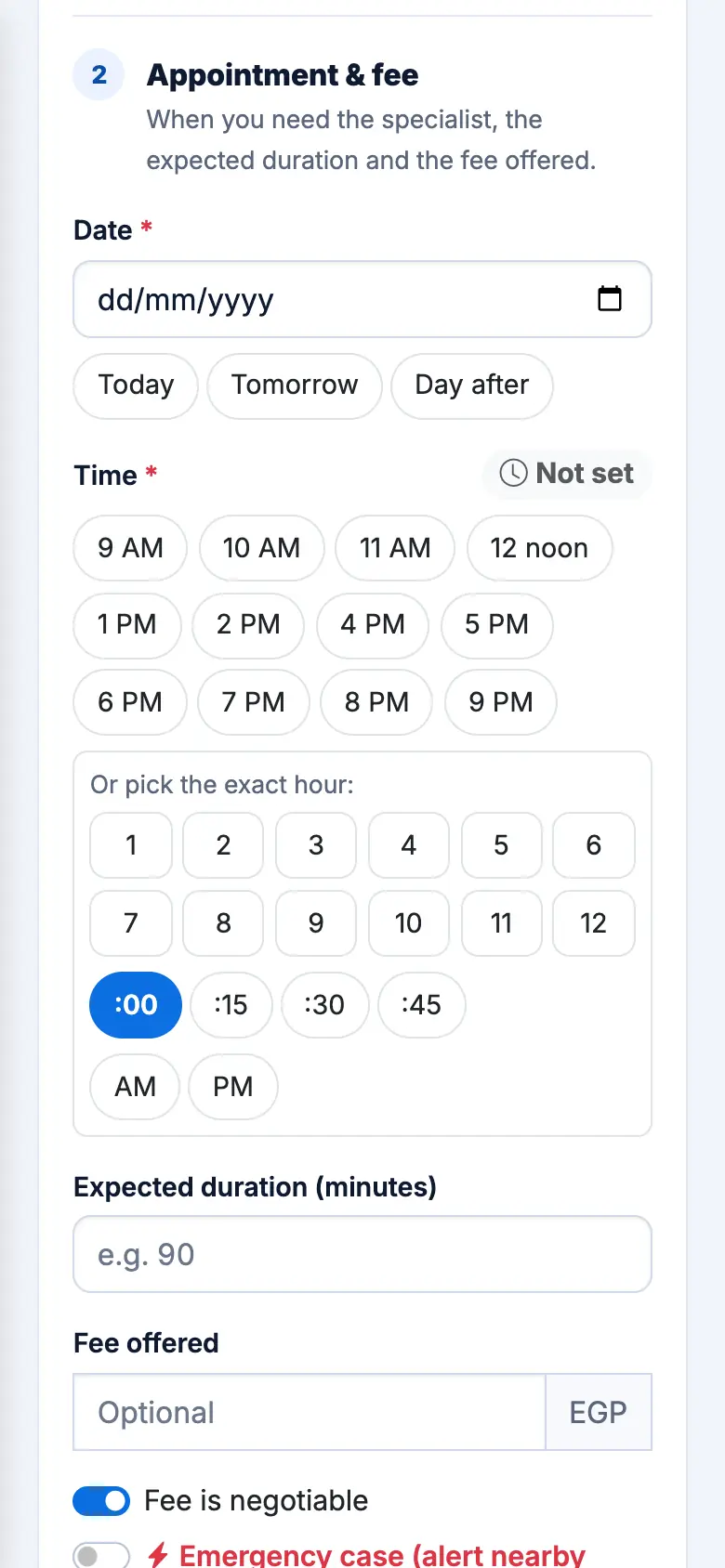
Emergency cases
Switch on Emergency case when the patient can't wait. Emergencies appear first in every list with a red badge, and nearby specialists in that specialty get an instant alert. You can also turn emergency mode on or off later from the case page.
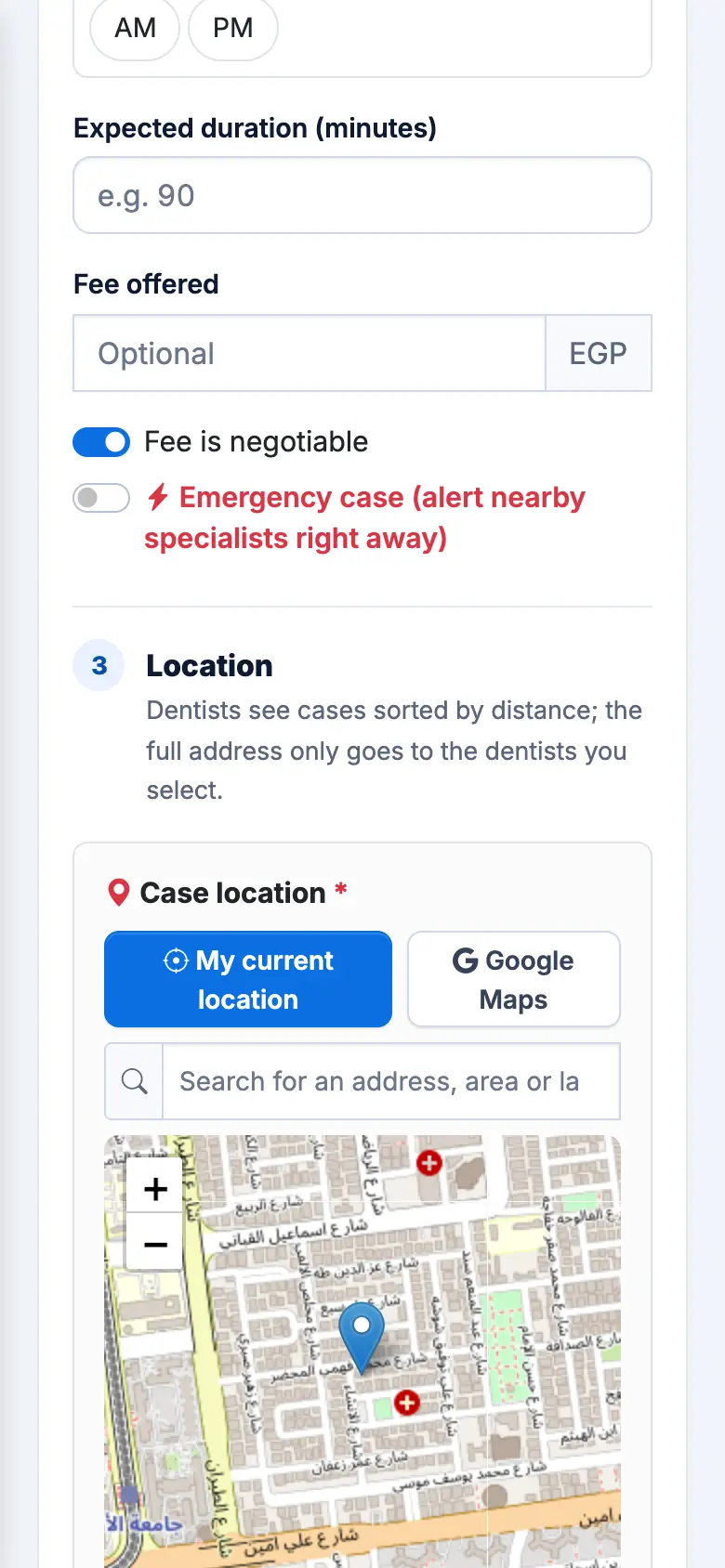
3. Location & 4. Photos
The location comes from your profile — change it on the map if the case is elsewhere. Then attach at least one photo or X-ray (X-ray, CBCT or PDF; up to 10 files, 10 MB each) and tap Post the case.
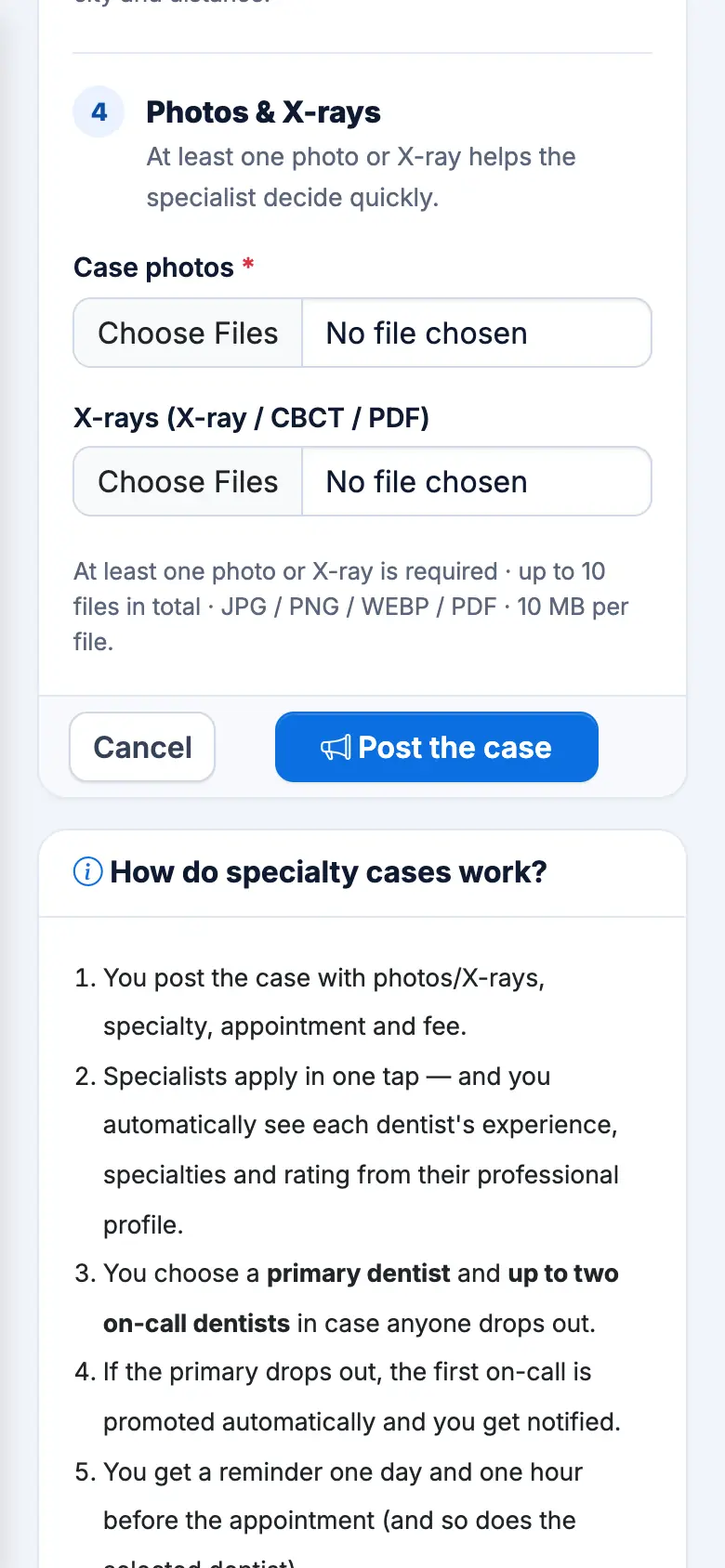
You'll see how many nearby specialists were notified, and the case appears under My posted cases.
Don't write the patient's name, phone or ID, and don't upload photos that show the patient's face.