
Who: the clinic that posted the case. Open My posted cases and tap Applications.
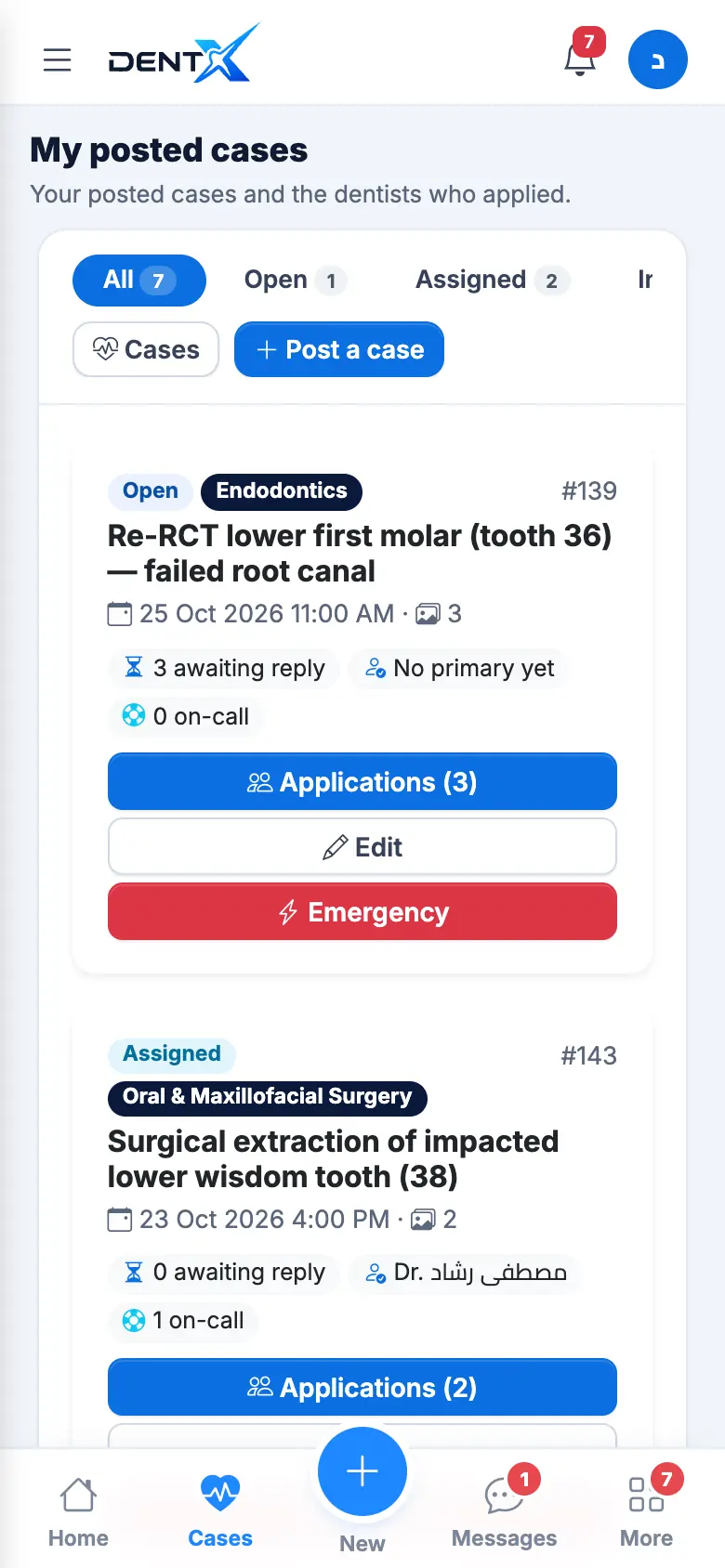
Review the applicants
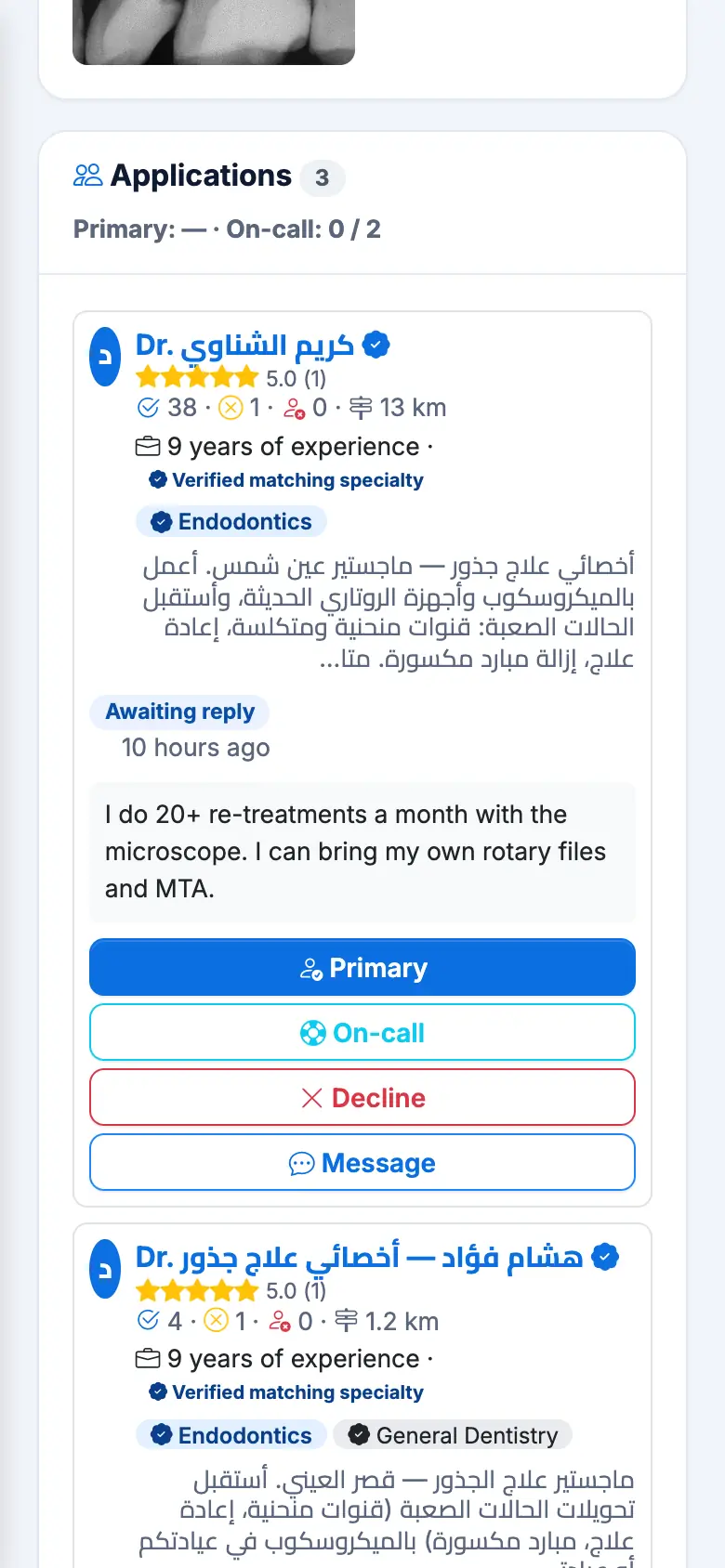
Each applicant card shows the name and rating (tap to open the profile), experience, distance, completed cases and cancellations, the verified matching specialty and their message. The counter shows Primary 0/1 — On-call 0/2.
For each applicant: Primary, On-call, Decline or Message (chat before you decide).
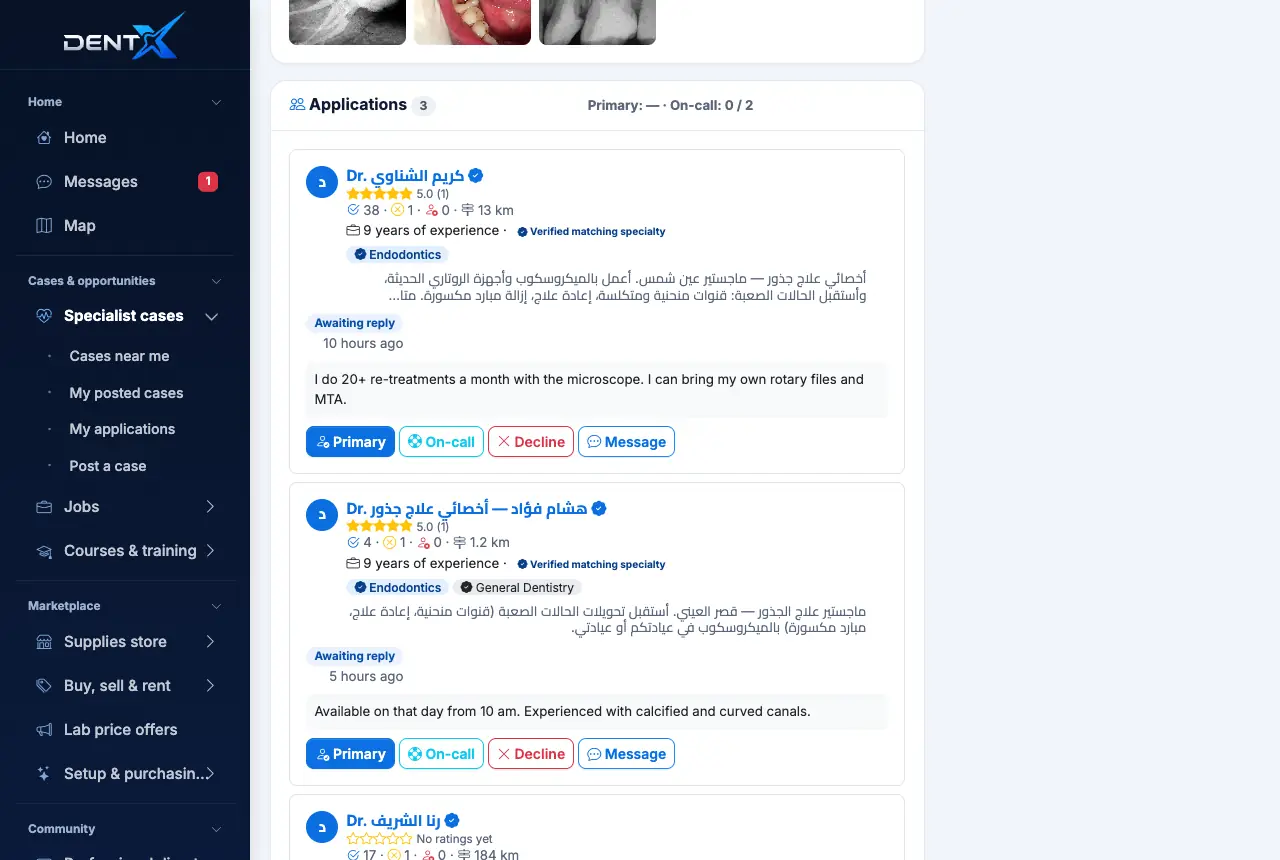
When you select a primary, they see the address and your number. The status becomes Assigned. You can Release a dentist or Promote to primary an on-call dentist.
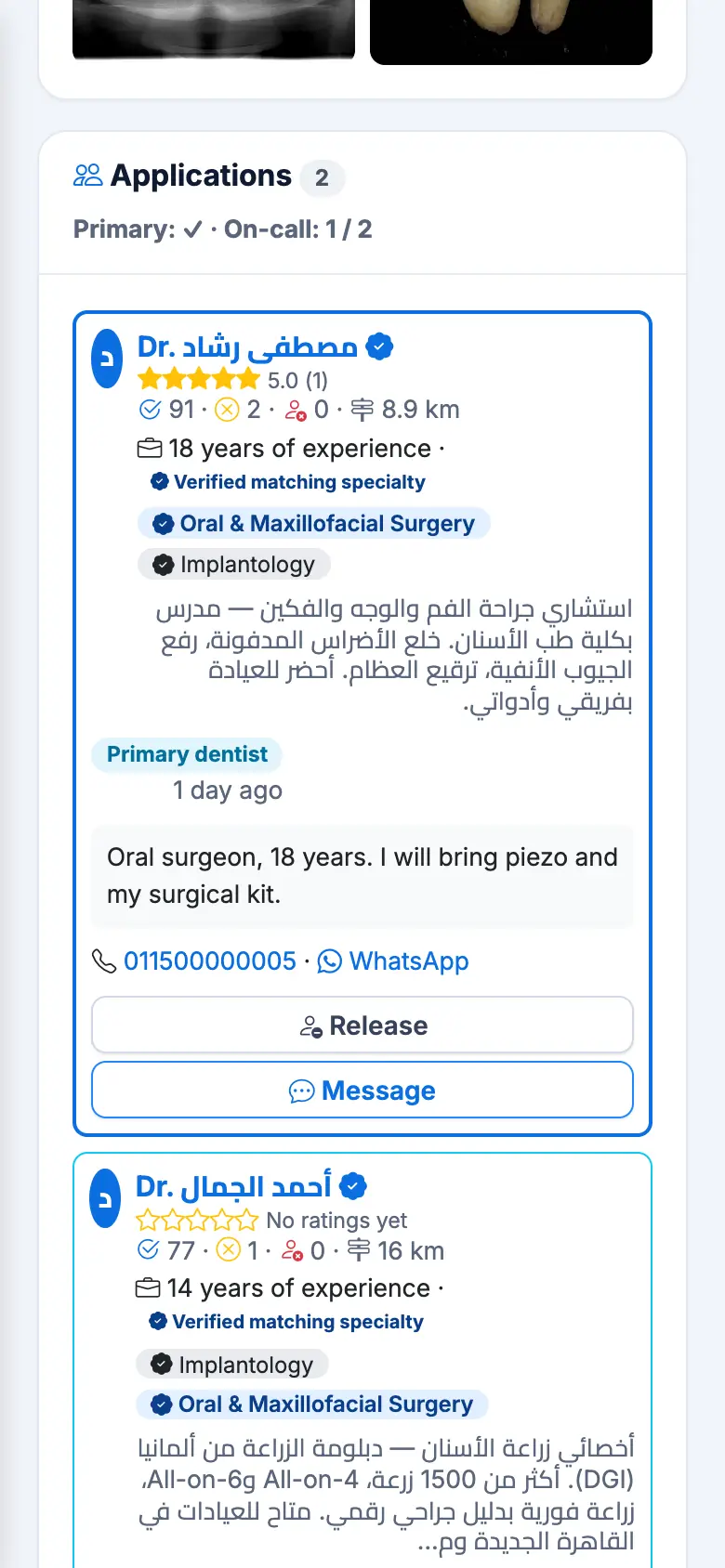
Run the case
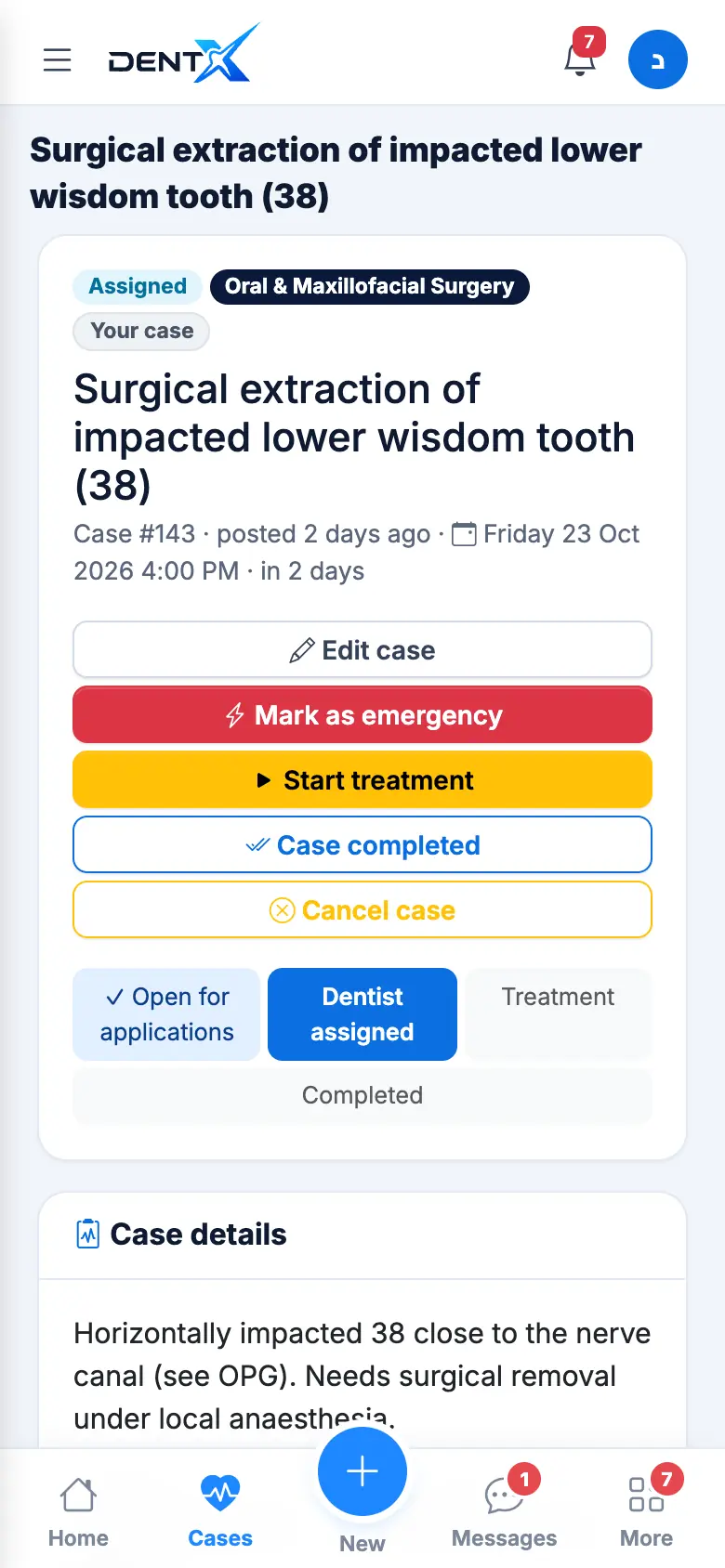
From the case page:
- Edit case — any change in date, place or fee is sent to every applicant, and reminders adjust automatically.
- Mark as emergency / turn it off.
- Start treatment on the day, then Case completed — after that both sides rate each other.
- No-show if the primary didn't come — the on-call is promoted or the case reopens.
- Cancel case — a reason is required.
On-call dentists are optional, but they protect you if the primary drops out at the last minute.