
Who: a verified dentist whose required specialty is verified with a certificate (General Dentistry cases need only a verified account).
Find cases
Open Specialist cases. Matching my specialties shows the cases you can apply to; emergencies come first, then by distance. Use Filter or Show on map.
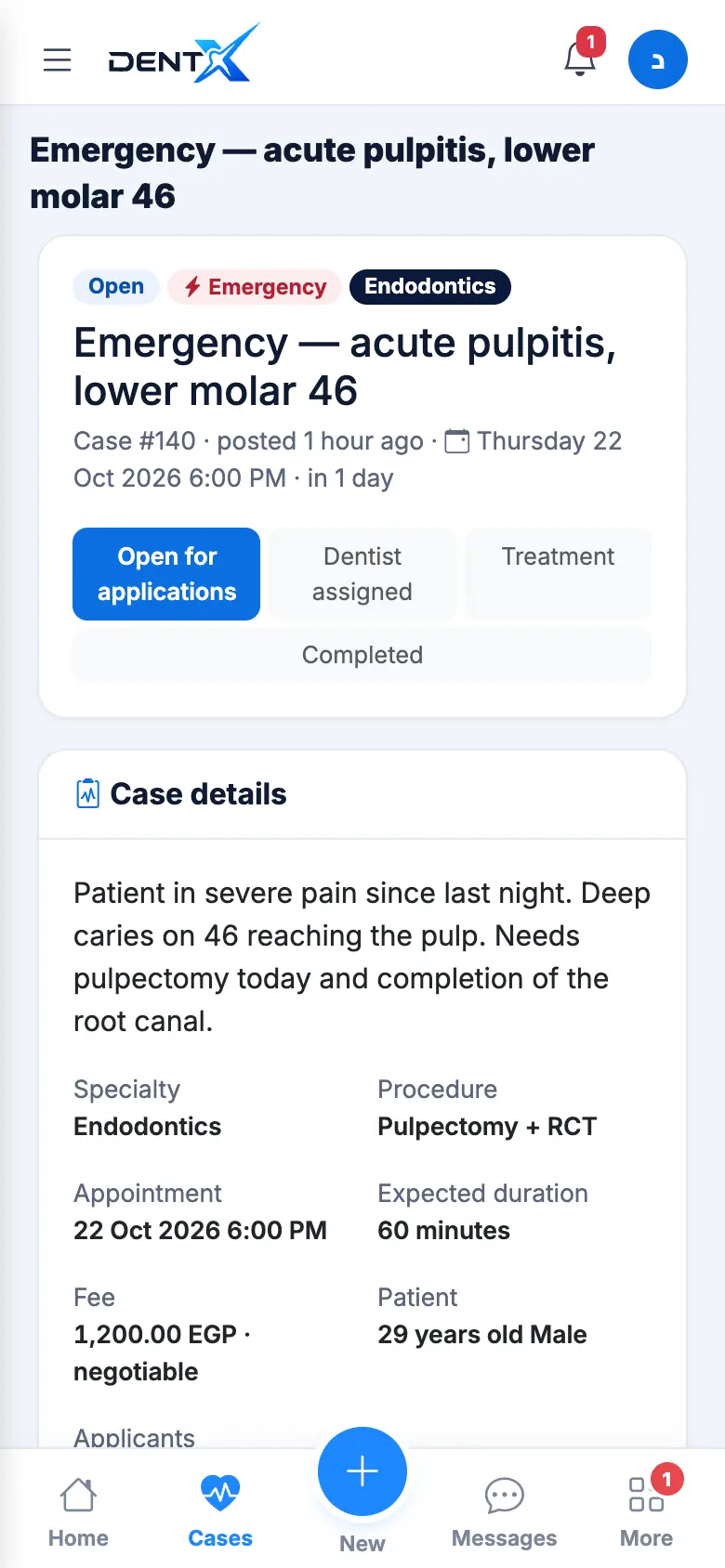
Apply
Open the case to see the details, photos and X-rays (tap to enlarge), then scroll to Apply for this case. The owner sees a summary of your profile — use Edit my profile to improve it first. Add a note (your experience, tools, availability) and tap Apply for this case. When a primary dentist is already chosen you can Apply as on-call.
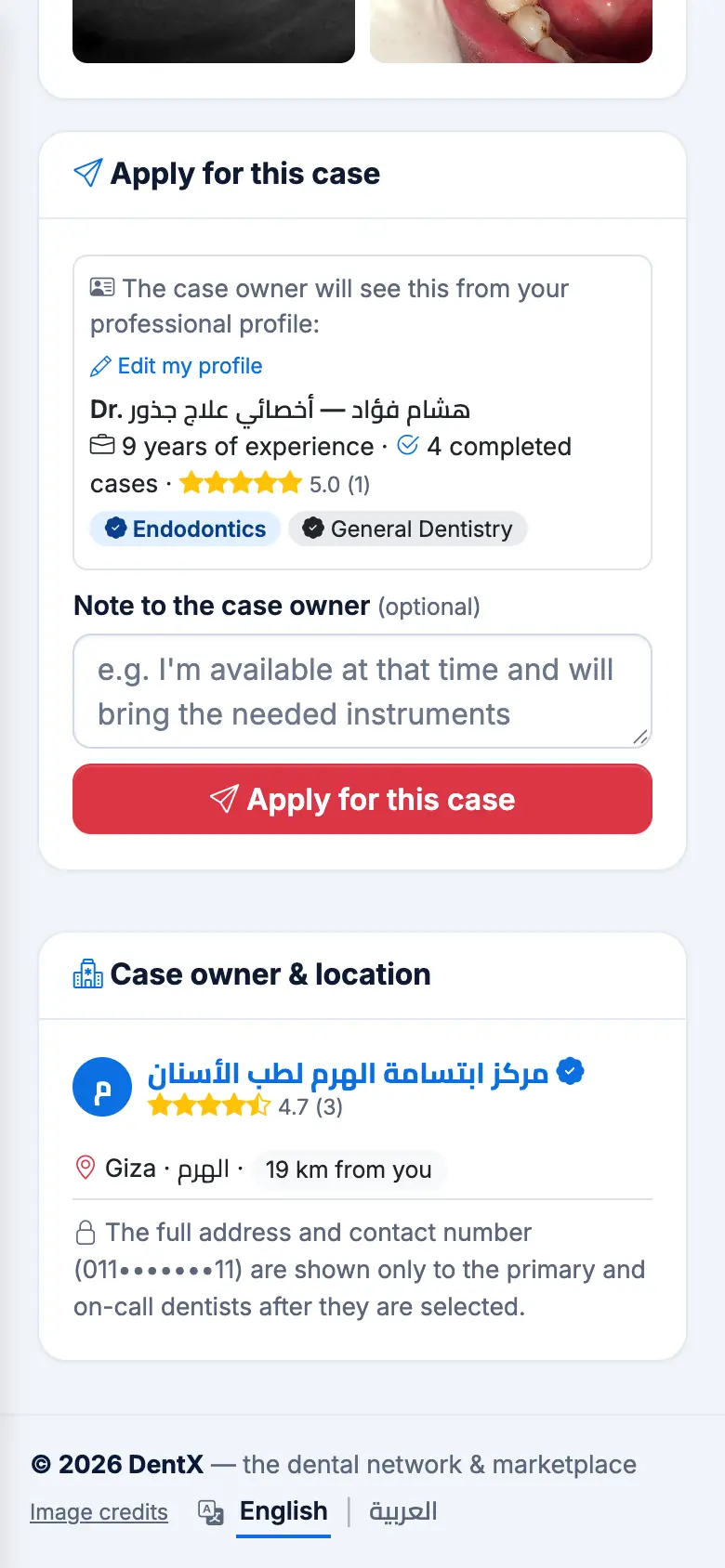
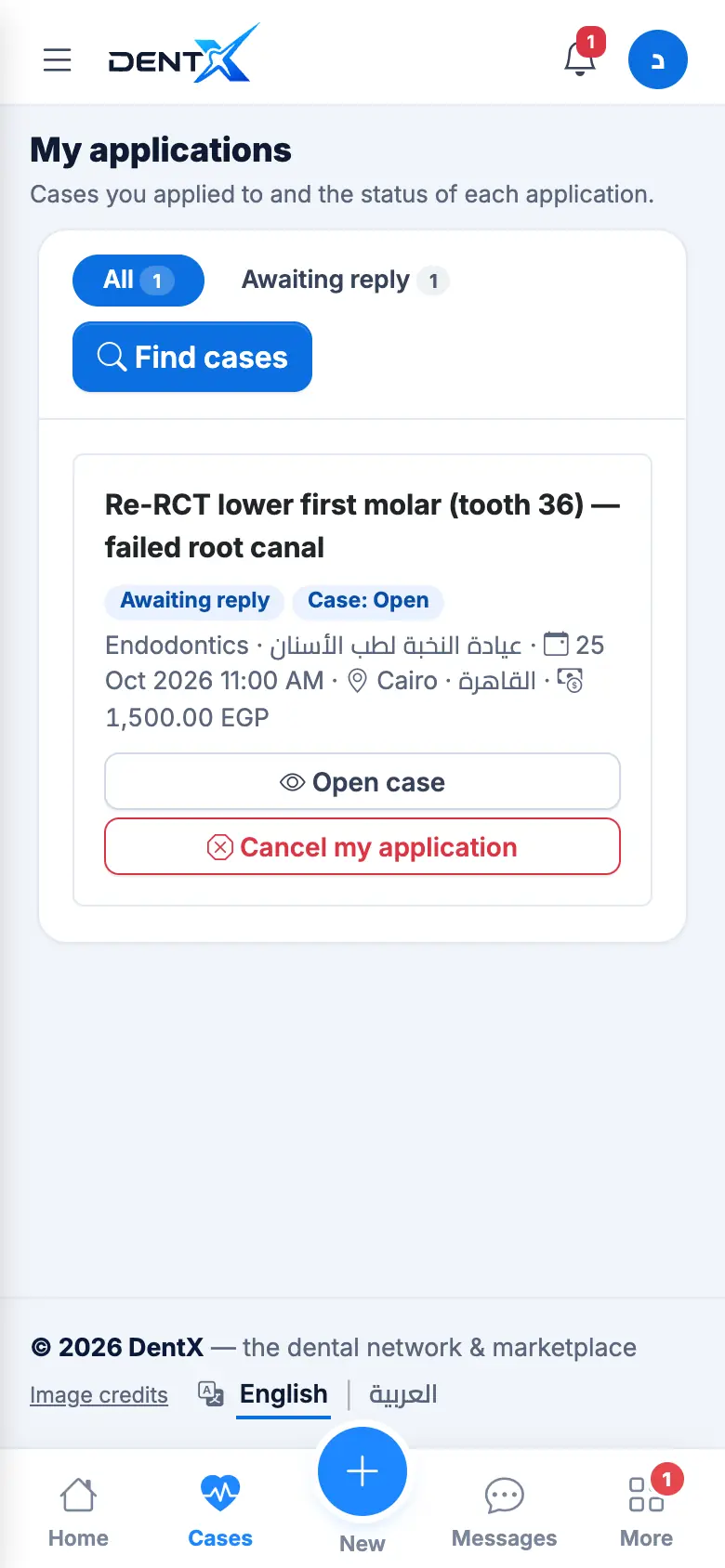
The owner is notified, and your application appears in My applications as Awaiting reply.
When you're selected
You get a notification; the clinic's full address and phone number become visible to you. You can message the owner from the case. If you can't make it, withdraw early with a reason: when the primary withdraws, the first on-call is promoted automatically (or the case reopens).
Repeated cancellations and no-shows are counted on your profile.
Application statuses
Awaiting reply · Primary dentist · On-call · Declined · Withdrawn · No-show · Released (the case was done without you) · Completed.