
Who: supplier and lab accounts — or any account that switches on My products & customer orders in Settings.
Your products
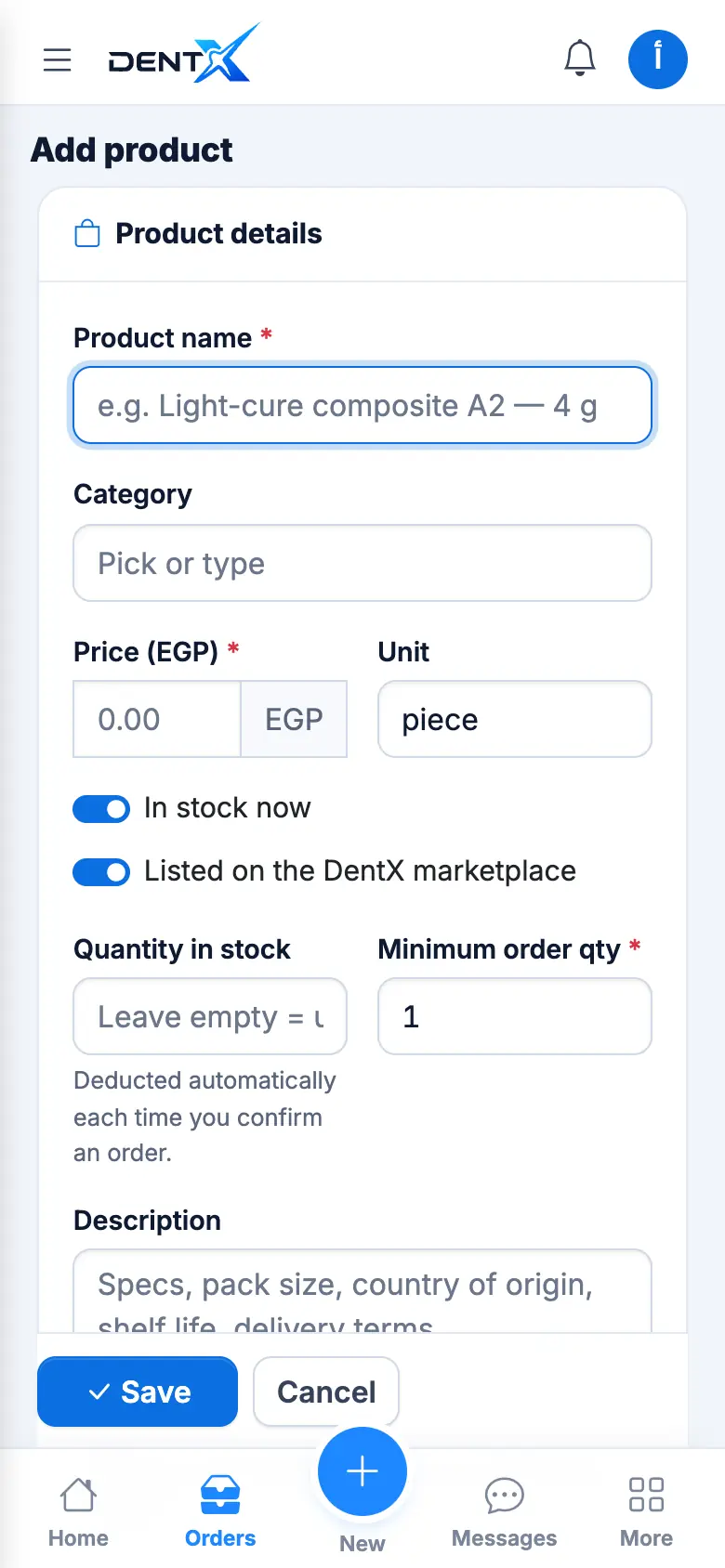
Open My products and tap + to add one: name, category, price and unit, In stock now, Listed on the DentX marketplace, quantity in stock (deducted automatically when you confirm an order), minimum order, description and a photo.
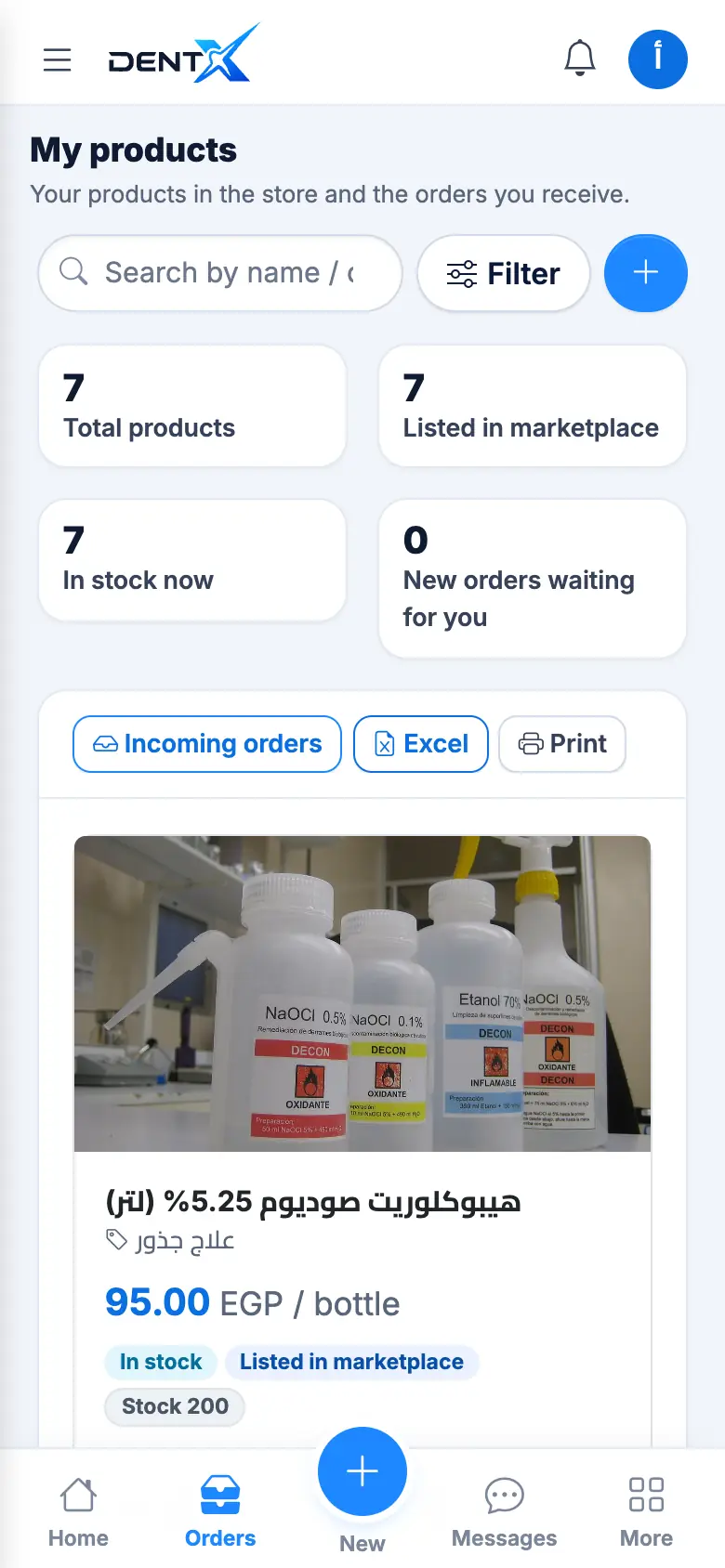
You can hide/show or delete a product, and export the list to Excel.
A clear photo and a description with the pack size, country of origin and expiry date make a real difference to orders.
Incoming orders
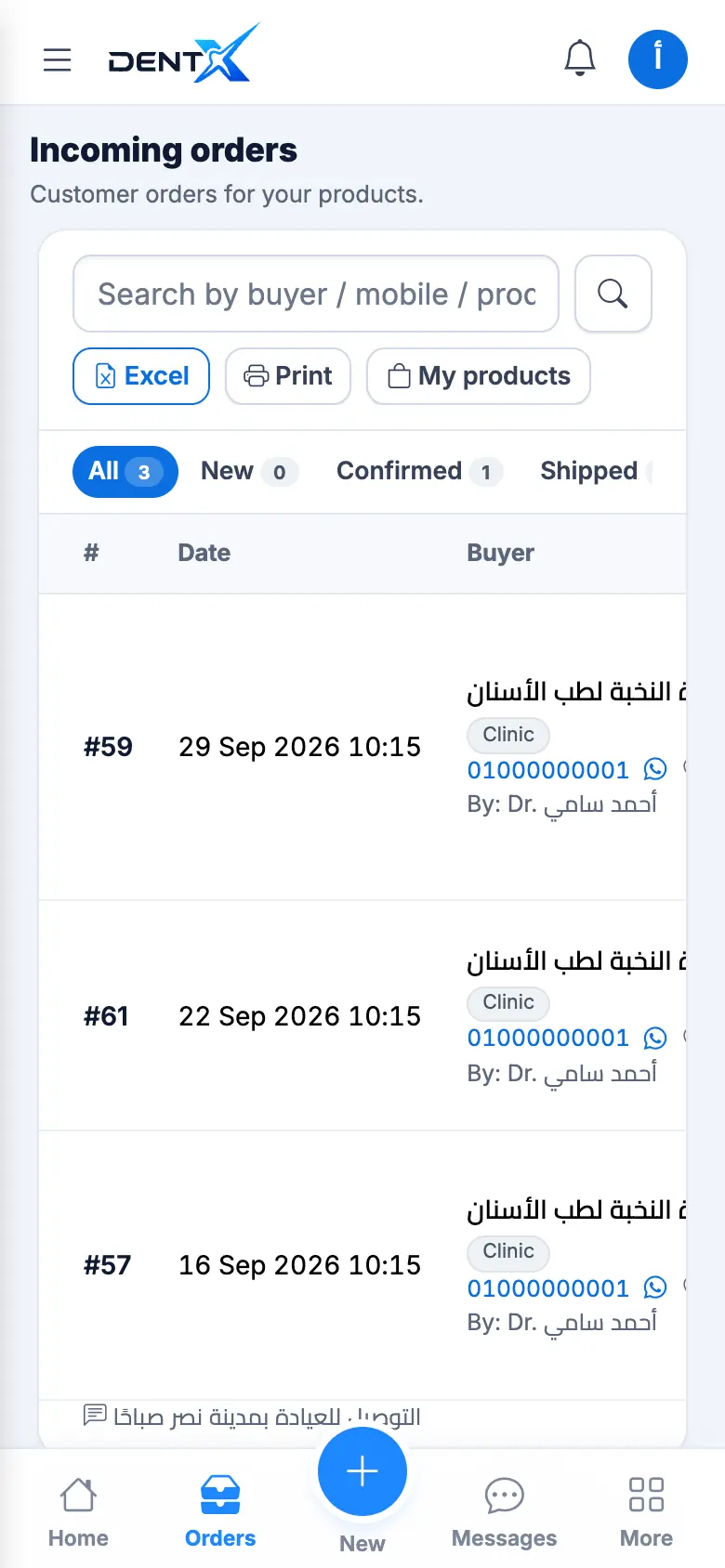
Incoming orders lists every order with the buyer and status. Open one to message the buyer, call or WhatsApp them, add a note, and move it to the next step — Confirmed, Shipped, Delivered. The buyer is notified at each step.
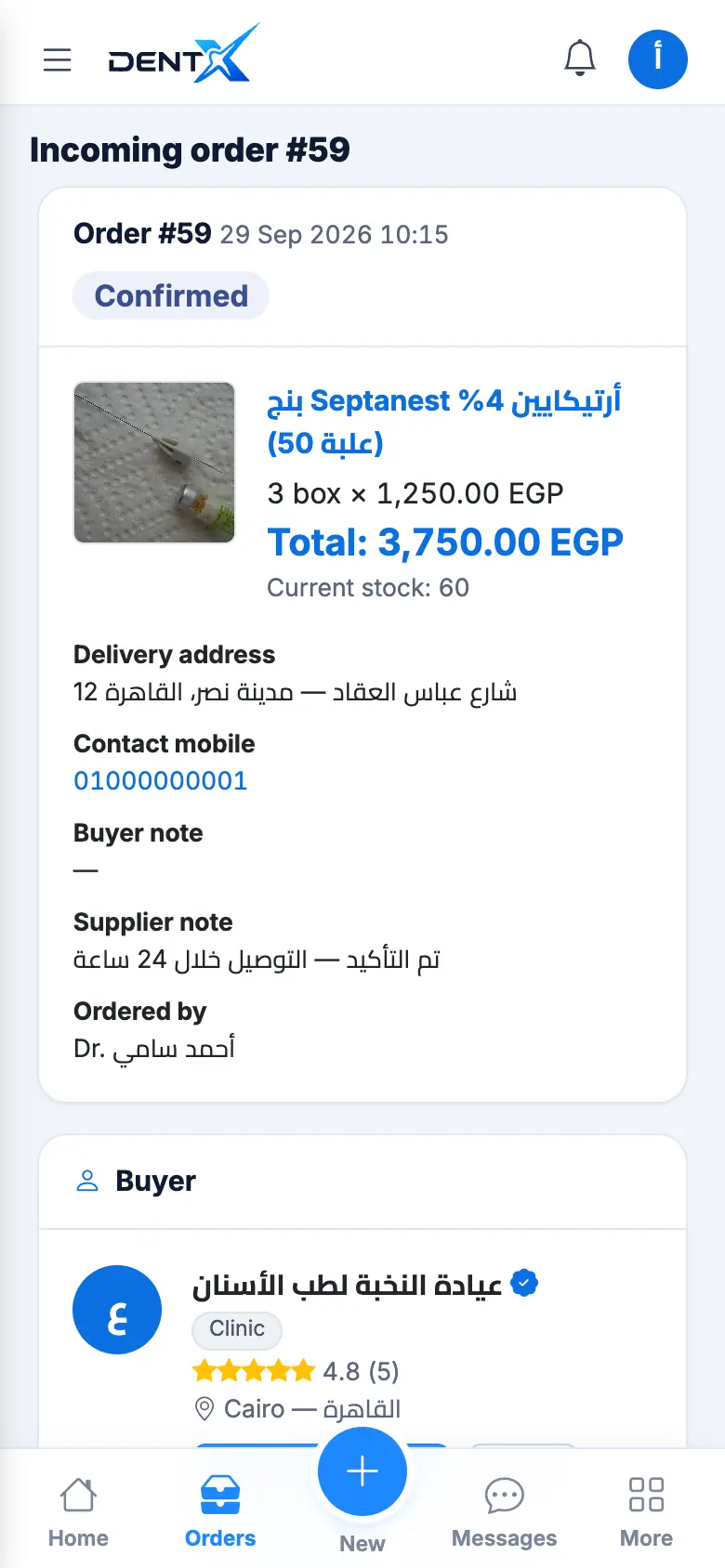
Out of stock? Cancel with a reason, or message the buyer to agree an alternative. Buyers can cancel only before you confirm.