
Browse
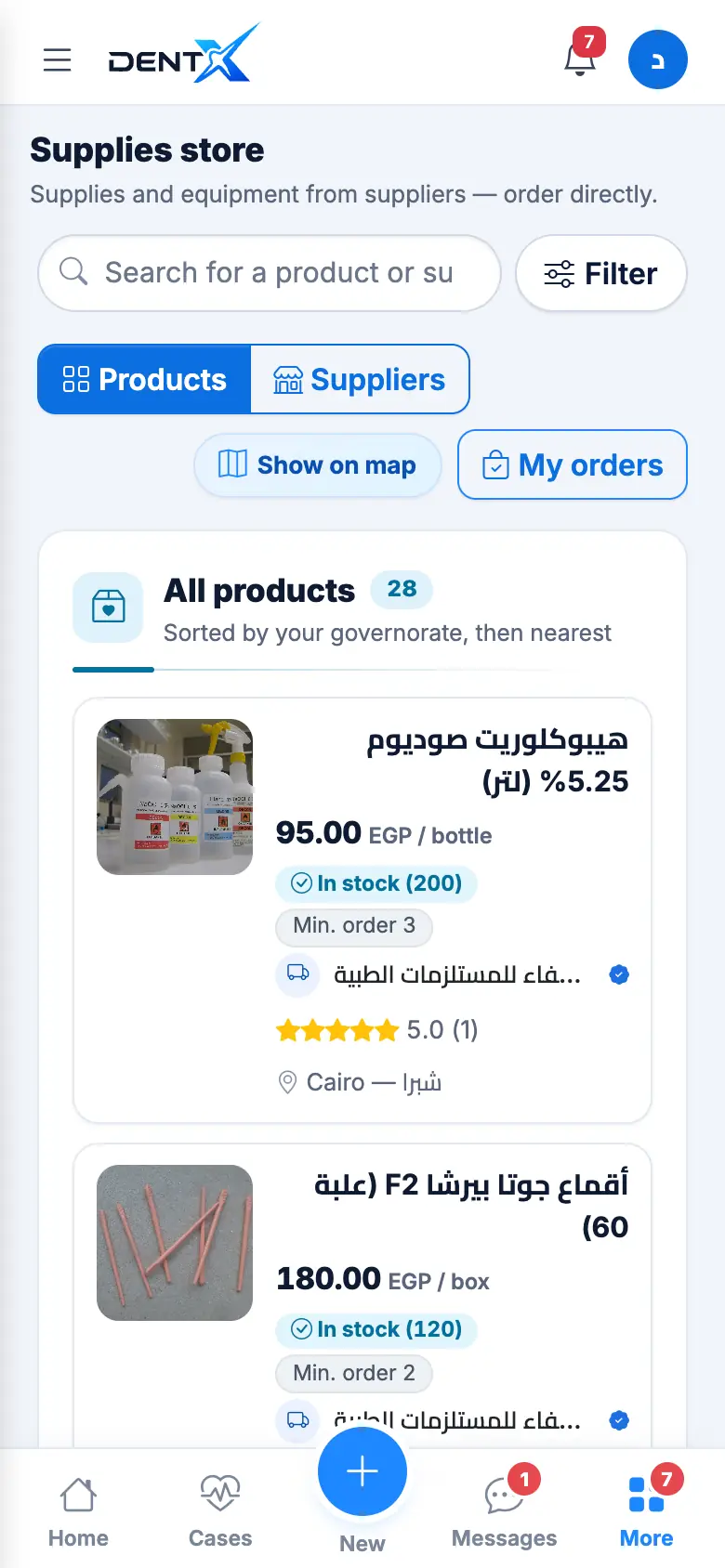
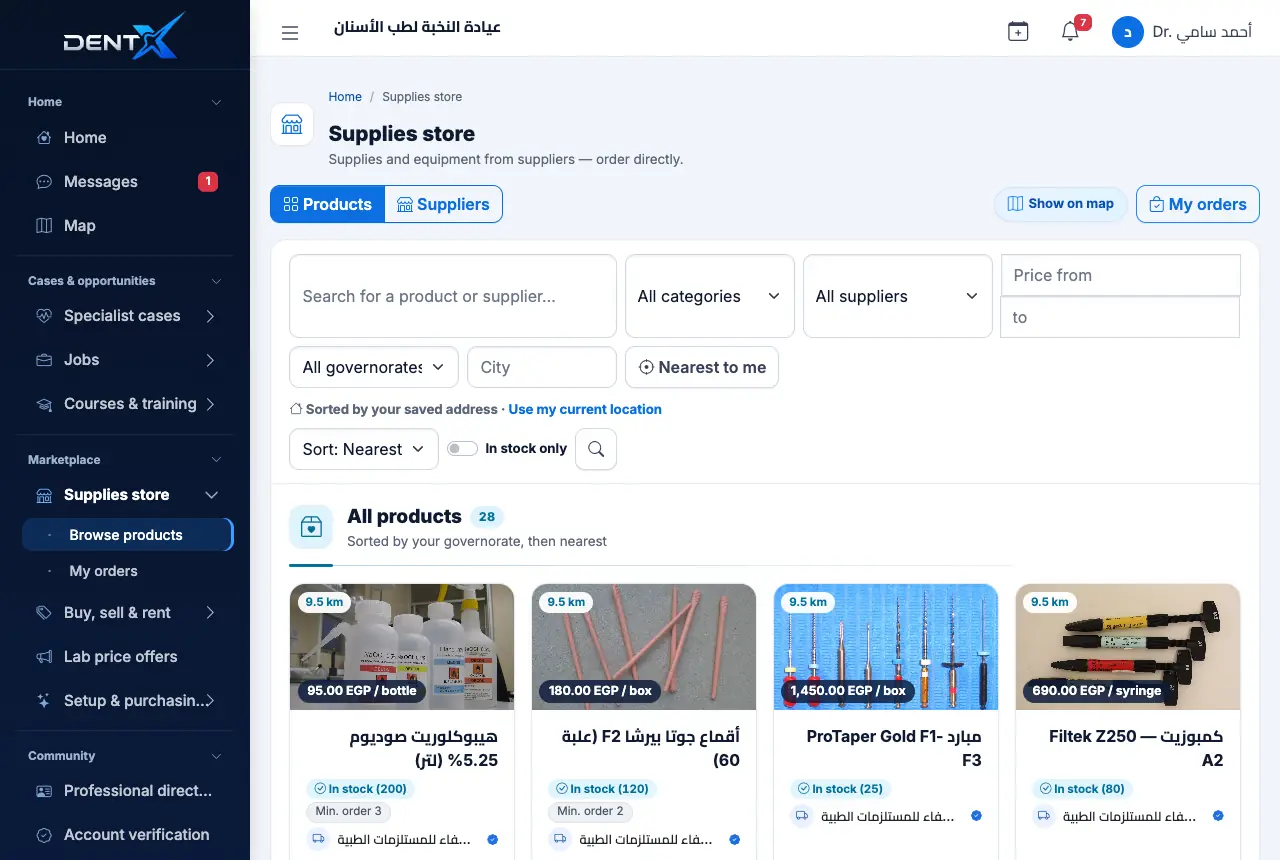
Open Supplies store. Search a product or supplier, filter by category and price, switch between Products and Suppliers, or Show on map. Each card shows the price and unit, minimum order, stock and the supplier.
Order
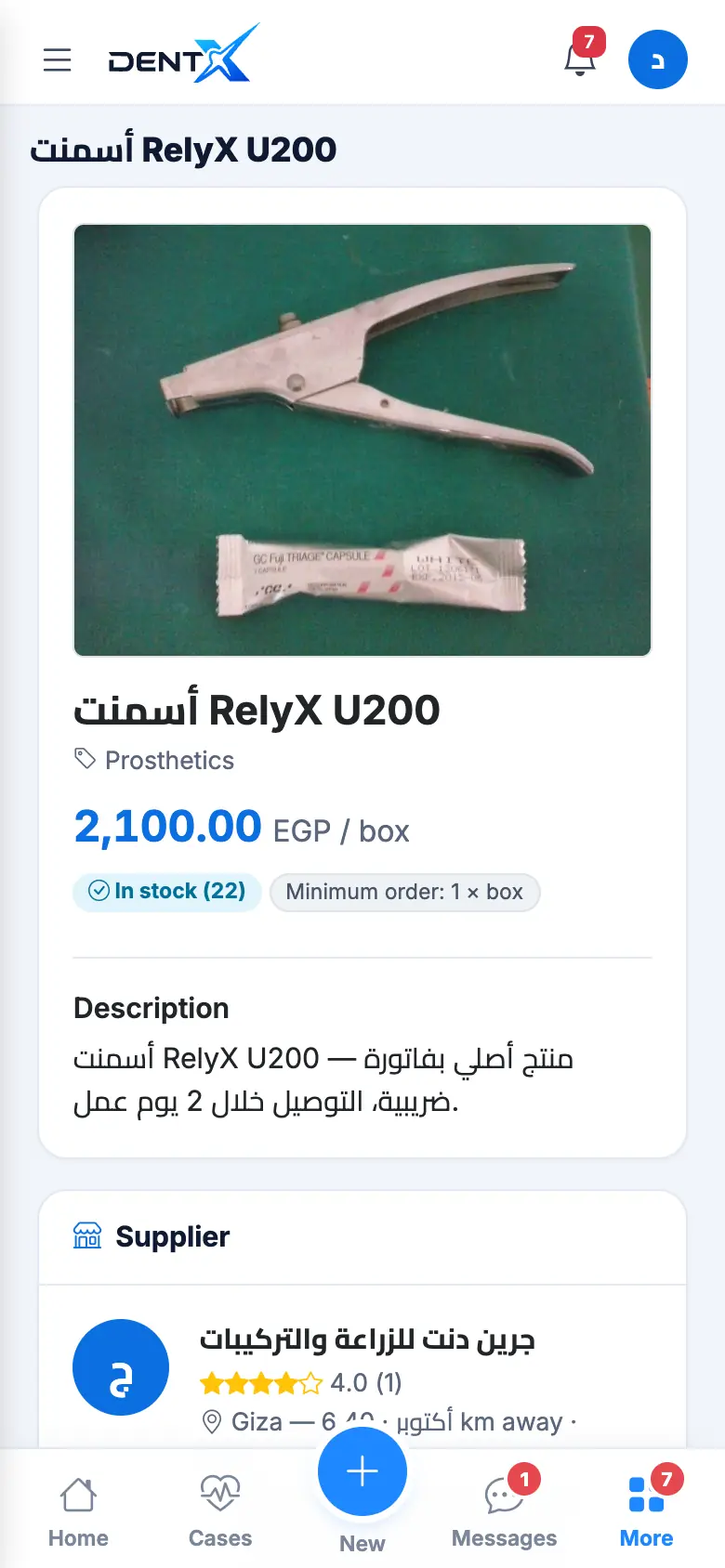
Open a product and tap order: choose the quantity (the total is calculated), confirm the delivery address and contact mobile, add a note to the supplier, and send.
Payment and delivery are agreed directly with the supplier — DentX takes no commission.
Track your orders
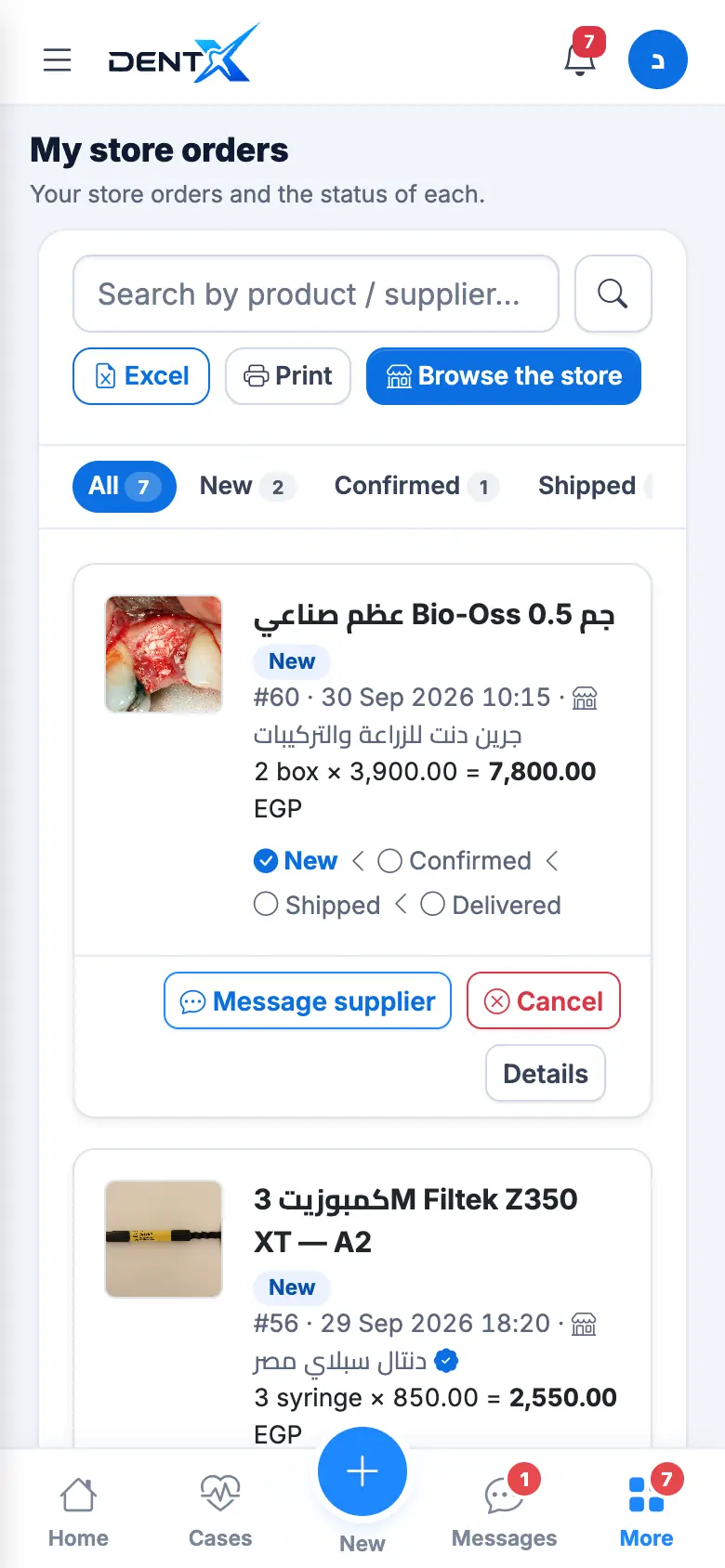
Every order moves through New → Confirmed → Shipped → Delivered, and each step is notified to you. Open My orders to search, export to Excel, print, message the supplier, or Cancel — possible only while the order is still New.
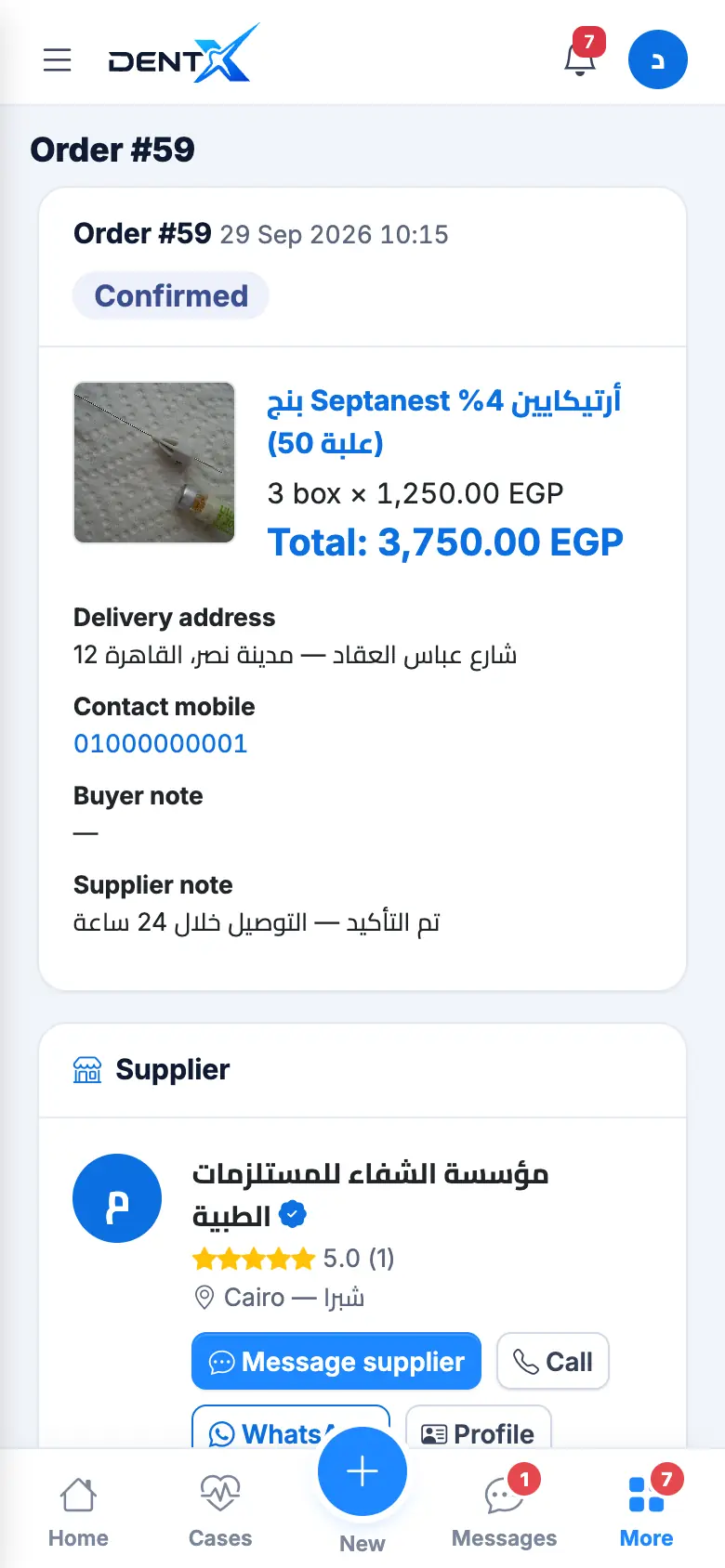
After delivery, you and the supplier can rate each other. If the supplier can't fulfil it the order shows Rejected or Cancelled with a reason.
On the Pro and Center plans, received store orders flow into your clinic's inventory on Krown automatically — see Clinic management with Krown.